Dienstag, 29. April 2008

Moving the cluster

Last Thursday I moved the cluster to computer center room. Of course with the help of my two nice friends, Gerolf and Christian. Reasons: our previous server room is too small and the cluster became too hot. That server room turned out as a sauna room :D. It was reasonable why the cluster became hot. The usage was increasing very highly. Almost all the time 100% of processors are used.

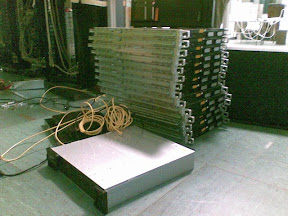
Look at the mess we have created!
The server room is pretty large, since it stores almost all the servers of the university. I put the cluster in the corner, beside our new-larger-cluster.
Everybody on the floor!!
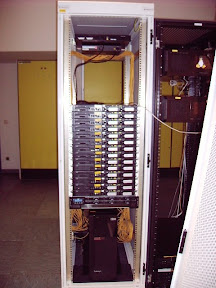
This cluster is 10 times more difficult to assembly. The screws are not matched each other, the door is heavy, the rack is terribly terrible. But I made it! It is imperfect of course, but it is prefect in giving me some exercises. Now here it is, after assembling.
Putting them together
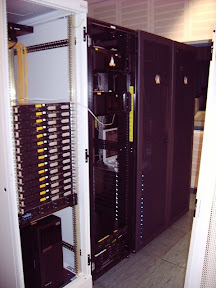
Of course beside our black cluster! Do you see those penguins?
Standing side by side with our 'nigol' cluster

Sonntag, 10. Februar 2008

New node plug and pray

Since our new cluster has just come. Partly. I want to make them automagically booting without further per-node configuration. We (me and Gerolf) have made the scenario like this: All nodes boot via pxe. For this we need to install a proper dchp, nfs, tftp, and linux-pxe. apt-get will help us. Notes: - do not use dhcp3, it fails to give pxe files. Dunno why. - use tftp-hpa The problem is, we don't know the addresses of interfaces of the nodes. The installation would be rather annoying, if we had to plug one-by-one a monitor to each node, just to see they hardware addresses. No. I don't want to do like that. This is the trick: Node side 1) steal initrd from Debian, and change its init script, just to detect network interfaces (eth*). 2) use tftp to stor the address at servers directory. Put it in the provided slots at the server. 3) wait until the server provide everything needed to boot, by waiting for an indicator. I chose as indicator a string 'ready' in the slot file. 4) reboot, and fetch the right kernel, initrd, and nfsroot. Server side 1) configure dhcpd to serve request from unknown interfaces. To do this I give a range declaration inside the subnet block for dynamic ips fron 10.255.0.1 to 10.255.0.255. 2) prepare request directory, containing slot files called req-(number). (number) is only sequence number to identify the slot. 3) check the slot files. If they contains hardware address then process it and put the corresponding entries in /etc/dhcpd.conf. 4) write indicator (ready string) inside each configured nodes. 5) call refresh script, written by Gerolf, to refresh pxe boot files, nfs exports, dhcp, and everything which is needed. Consult documentation about setting up pxe-boot somewhere in the net. If I put that details here, it would only give noises. If there is nothing wrong, the node will boot and getting online soon. This is the init script inside initrd,

----------------------------------------------------------- #!/bin/sh echo "Loading, please wait..." [ -d /dev ] || mkdir -m 0755 /dev [ -d /root ] || mkdir --mode=0700 /root [ -d /sys ] || mkdir /sys [ -d /proc ] || mkdir /proc [ -d /tmp ] || mkdir /tmp mkdir -p /var/lock mount -t sysfs none /sys mount -t proc none /proc tmpfs_size="10M" if [ -e /etc/udev/udev.conf ]; then . /etc/udev/udev.conf fi mount -t tmpfs -o size=$tmpfs_size,mode=0755 udev /dev [ -e /dev/console ] || mknod /dev/console c 5 1 [ -e /dev/null ] || mknod /dev/null c 1 3 > /dev/.initramfs-tools mkdir /dev/.initramfs export DPKG_ARCH= . /conf/arch.conf export ROOT= . /conf/initramfs.conf for i in conf/conf.d/*; do [ -f ${i} ] && . ${i} done . /scripts/functions export break= export init=/sbin/init export quiet=n export readonly=y export rootmnt=/root export debug= export cryptopts=${CRYPTOPTS} export ROOTDELAY= export panic= SERVER= DEV=eth0 for x in $(cat /proc/cmdline); do case $x in server=*) SERVER=${x#server=} ;; dev=*) DEV=${x#dev=} ;; break=*) break=${x#break=} ;; break) break=premount ;; esac done depmod -a maybe_break top run_scripts /scripts/init-top load_modules run_scripts /scripts/init-premount maybe_break request [ -z "$SERVER" ] && panic "Server name must be defined in \ kernel option: server=" echo "#### getting interface address of $DEV ####" ipconfig -c dhcp -d $DEV ping -c 2 $SERVER || panic "Cannot connect server $SERVER" ##### # request file in format req-(number) must exist and writable (mode 666) # in request directory @ server # req=1 reqfile="" while [ ${req} -le 100 ]; do tftp -g -l req -r request/req-${req} $SERVER if [ -s req ]; then req=$(( ${req} + 1 )) else reqfile=req-${req} break fi done [ -z "${reqfile}" ] && panic "No free request slot.. this is impossible" # slot available for i in /sys/class/net/eth*; do cat $i/address >> req done tftp -p -l req -r request/${reqfile} $SERVER ready= while [ -z "$ready" ]; do echo "<<<< waiting for valid boot files >>>>" sleep 10 tftp -g -l req -r request/${reqfile} $SERVER grep ready req && ready=yes done echo "<<<< Booting files are ready.... REBOOT... >>>>" reboot --------------------------------
And to handle the request, I put a _secret_ tag:
#--> insertion point bla bla bla

somewhere in a right place inside dhcpd.conf. All the host entry will be written in _one line_. I put also a lease range 10.255.0.1 to 10.255.0.255 in the subnet block. Here is the handling script,
---------------------------------- DIR=/srv/tftp die() { echo $@ exit } cd $DIR/request echo "searching request" rm -f /tmp/newnode handled= for i in req-*; do [[ -s $i ]] || continue grep 'ready' $i && continue mainif=`awk 'NR==1{print}' $i` auxif=$(awk 'NR==2{print}' $i ) pxef=$(echo $mainif|awk '{gsub(/:/,"-");print}') [[ -f ../pxelinux/$pxef ]] && continue echo "Handling request for $mainif" handled="$handled $i" # find node number awk 'BEGIN{n=0} /^[[:space:]]*#/{next} /^[[:space:]]*host node/{gsub(/[[:alpha:]_-]/,"",$2);if(n<$2)n=$2} END{print "host node"n+1" \ {option host-name \"node"n+1"\";\ hardware ethernet '$mainif';fixed-address 10.10.1."n+1";}" if("'$auxif'") print "host node"n+1"a \ {hardware ethernet '$auxif';fixed-address 10.10.2."n+1";}" }' /etc/dhcpd.conf >> /tmp/newnode done [[ -z $handled ]] && die "no new node request" awk 'BEGIN{fl=0} FNR==1{fl++} fl==1{x[FNR]=$0;next} /^#--> insertion/{for(i in x)print x[i]} {print}' /tmp/newnode /etc/dhcpd.conf > /tmp/dhcpd-tmp mv /tmp/dhcpd-tmp /etc/dhcpd.conf rm -f /tmp/newnode /root/admin-scripts/refresh # to reboot the node: put 'ready' in req-* file in request directory for i in $(echo $handled);do echo ready > $i; done ----------------------------------------------------------------------

Samstag, 8. Dezember 2007

Imperfect NAS

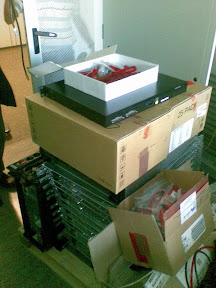
After hacking our REAL nas system last time, we now built one by our own. Sixteen hard disks in one case is big enough. We will have more or less 6Tb inside. Of course mr.Guru will fill it up again immediately. What we installed inside is simply LVM. Since we use hardware raid 16 disks sata controller, no need to setup MD device. It is great and easy. Ups... first test there was an accident. The panel cable was burning!! In that cable there was 3 vcc, and 3 ground lines. These lines are too small for power line. We should have been plugging additional power line. But anyway, this is one thing that makes our new nas imperfect. See how this device fits to my baby cluster!! Instead of stacking around with LVM documentation, this is the sequence of command we need to run in order to set it up:

#!/bin/bash INCHD="/dev/sd?? and so on" VOLNAME=scratch-vol LNAME=scr MNTDIR=/scr DEV=/dev/$VOLNAME/$LNAME apt-get install lvm-common lvm2 pvcreate $INCHD vgcreate $VOLNAME $INCHD vgchange -a y $VOLNAME TSIZ=`vgdisplay $VOLNAME | grep "Total PE" | awk '{print $3}'` lvcreate -l $TSIZ $VOLNAME -n $LNAME mkfs.ext3 $DEV mkdir -p $MNTDIR echo "$DEV $MNTDIR ext3 defaults 0 1" >> /etc/fstab mount $MNTDIR df -h $MNTDIR

Samstag, 1. Dezember 2007

Awkfull slider

My awkfull slide creator is now more or less usable. I am thinking of publicly sharing this tool. But as I said, this tool is awkfull. I wrote almost everything using awk. This language is pretty simple, and rarely used as a serious programming language. One can see a lot of awk one-liners inside a shell script, but complete program... Slider uses awk as a tool to translate plain text to an swfc script. This plain text is straight forward, containing tags and contents of slides. Here is the example:

$slide
This is my first slide
~First item
~~and first sub item
Pretty simple, right? At least it is very readable to me. Wait how about figures? Not only figures, you can also put directly movies inside it. Of course, swf format is more preferable. Look at this:
$slide
How to put figure...
$figure myfigure.jpg x=100 y=100 scale=50% alpha=50%
$figure movie.swf y=100 y=250 scale=50%
thats it. I will comeback to this post to tell the repository where I put slider program. I need to make also some examples for user. This is really an Awkfull program.

Sonntag, 18. November 2007

Imperfect bootable linux in usb-flash disk

I believe a bootable linux system should not be too difficult to build. I don't need a perfect system anyway. The point is making it able to boot, and has stand alone tools just to make some recoveries when something goes wrong with our computer system. In fact we have almost everything inside initrd file. A busybox package is almost perfect. Simply copying it along with its kernel version is enough to give you a 'panic' shell interface. On Debian system, one may try also passing break=mount, to break the booting process right before initrd mounting filesystems. Now, to make a bootable flashdisk we can simply create a partition inside it, format it as ext2 filesystem, and then install grub on its MBR. We do this from our running system without downloading anything from the net. I use this variable in this process:

rootflash=/mnt/buildboot drive=/dev/sdb1

1) partinion the drive (/dev/sdb1, 83, bootable)
fdisk /dev/sdb

2) format as ext2:
mkfs.ext2 $drive e2label $drive ROSBOOT
We need to give a label to our disk, because we are working with a removable disk. It is unsure in which device node the usb storage will be referred. Using label we can easily point to as /dev/disk/by-label/ROSBOOT. We need a small change on init script in order to make it possible.
3) mount usb drive and copy kernel
mount $drive $rootflash mkdir $rootflash/boot cp /boot/vmlinuz-2.6.18-4-686 $rootflash/boot/vmlinuz cp /boot/initrd.img-2.6.18-4-686 $rootflash/boot/initrd

4) install grub on the mbr of our usb storage and create grub menu.
grub-install --root-directory $rootflash /dev/sdb cat > $rootflash/boot/grub/menu.lst << endt title Debian Tumb root (hd0,0) kernel /boot/vmlinuz root=/dev/ram0 vga=794 initrd /initrd boot
Until this point the usb drive can boot and gives busybox. What else do you want? It is now a totally imperfect booting system. But at least busybox gives us a lot of useful basic command. We can now mount something from nfs to boot if we want. The better idea is maybe creating Debian bootstrap:
debootstrap --arch i386 etch $rootflash
and change one corresponding line in menu.lst to
kernel /boot/vmlinuz root=LABEL=ROSBOOT ROOTDELAY=5 vga=791
Than we will use at least 150Mb for nothing. I haven't tried that, but anyway, I don't want to. My first idea is to have an imperfect rescue system. For which I only need to add some administration applications and change init script to make it imperfect.
5) Modify initrd
We can extract our working initrd and put it somewhere. Here are the commands:
cd /tmp; mkdir work-initrd; cd work-initrd gzip -dc /boot/initrd.img-2.6.18-4-686 | cpio -id
Now we put some missing good applications, modules and libraries.
install /sbin/fdisk sbin/ install /lib/libext2fs.so.2* lib/ install /lib/modules/2.6.18-4-686/kernel/drivers/usb/input/usbkbd.ko lib/modules/2.6.18-4-686/kernel/drivers/usb/input/ install /lib/modules/2.6.18-4-686/kernel/drivers/usb/input/usbmouse.ko lib/modules/2.6.18-4-686/kernel/drivers/usb/input/
Now it is time for us to make modifications on init file. It is a normal shell script. My hand feels at home.
joe init
and do our blablablas there! I put my imperfect init script as a tail to this blog. We need to modify the modules file as well:
cat > conf/modules << endt unix usbcore usbhid usb-storage ext2 i8042 atkbd usbhid usbkbd usbmouse
Finished with modifications? now repack initrd!
find ./ | cpio -H newc -o > /tmp/initrd.cpio gzip /tmp/initrd.cpio mv /tmp/initrd.cpio.gz $rootflash/boot/initrd
Now for me everything is OK. It boots well in my notebook, but an old computer in the corner can not boot from it, even though it has capability for it. Maybe the bios is imperfect! Don't care. The size of my booting flashdisk system is now 7.6Mb. Maybe I can have it smaller by recompiling the kernel and throw out some unused drivers. Next idea is to put directories inside the flash disk and make a link to it inside the initram like usr directory, etc, so we don't have to change the initrd afterward.
6) Tail: imperfect init script
I modified the init script from initrd of Debian etch. With this modification I intend to call /disk/etc/rc.d file in the real usb drive storage. We do not need to touch this init rd anymore, and control everything there.
#!/bin/sh echo "Loading, please wait..." [ -d /dev ] || mkdir -m 0755 /dev [ -d /root ] || mkdir --mode=0700 /root [ -d /sys ] || mkdir /sys [ -d /proc ] || mkdir /proc [ -d /tmp ] || mkdir /tmp mkdir -p /var/lock mount -t sysfs none /sys mount -t proc none /proc ## increase tmpfs size to 20M ### tmpfs_size="20M" ################################# if [ -e /etc/udev/udev.conf ]; then . /etc/udev/udev.conf fi mount -t tmpfs -o size=$tmpfs_size,mode=0755 udev /dev [ -e /dev/console ] || mknod /dev/console c 5 1 [ -e /dev/null ] || mknod /dev/null c 1 3 > /dev/.initramfs-tools mkdir /dev/.initramfs export DPKG_ARCH= . /conf/arch.conf export ROOT= . /conf/initramfs.conf for i in conf/conf.d/*; do [ -f ${i} ] && . ${i} done . /scripts/functions export break= export init=/sbin/init export quiet=n export readonly=y export rootmnt=/root export debug= export cryptopts=${CRYPTOPTS} export panic= ## give default ROOTDELAY to 5 seconds # # this gives time to udev to make usb disk online # export ROOTDELAY=5 #################################################### # no need to parse complete command line options for x in $(cat /proc/cmdline); do case $x in break=*) break=${x#break=} ;; break) break=premount ;; esac done if [ -z "${NORESUME}" ]; then export resume=${RESUME} fi depmod -a maybe_break top run_scripts /scripts/init-top maybe_break modules log_begin_msg "Loading essential drivers..." load_modules log_end_msg maybe_break premount [ "$quiet" != "y" ] && log_begin_msg "Running /scripts/init-premount" run_scripts /scripts/init-premount [ "$quiet" != "y" ] && log_end_msg ####### cut debian's init script here ######### echo "mounting flash filesystem" echo "if this fails, we run without it" mkdir /disk mount -t ext2 /dev/disk/by-label/ROSBOOT /disk RCRET=255 # if exist /disk/etc/rc.d then give control to it if [ -x /disk/usr/rc.d ]; then /disk/usr/rc.d RCRET=$? fi # if rc.d returns 255 run shell [ $RCRET -eq 255 ] && PS1='ROSBOOT$ ' /bin/sh -i /dev/console 2>&1 echo "Unmounting file systems...." umount /disk sleep 5 echo "Quits rosboot.... REBOOTING...." sleep 1 reboot

Remember! imperfectness is perfectness it self.
Donnerstag, 15. November 2007

The Windows Effect

As I said.... I am totally imperfect! Or.. should I say stupidly imperfect. Now I've got trouble with a very nice copy-center workers. And I would have to pay a lot of money!!! No... wait thats not my failure! I lost my "card" with PIN number sticked in it. I confess, that was my fault... totally my fault. But I asked them to block it, immediately after I realized it. I believe It was before 10.9! Because I had holiday, on my birthday. OK, she told me to call back before that day, which I did not do. But that was just ridiculous! I came to their office just to ask them to block it, why should I call back! And they did not block it just because I did not call back! This is stupid! ----------------------- I believe that this is exactly The Windows Vista Effect! When I wanted to block my card because I'd lost it, I would be asked, with a very nice window: DO YOU REALLY WANT TO BLOCK IT? I clicked YES...., later came another window.... ARE YOU SURE YOU WANT TO BLOCK IT?????? I answered.. Damn it... YES! Another nice windows showed up..... PLEASE THINK IT OVER AGAIN AND CALL US BACK BEFORE THIS DATE IF YOU THINK YOU ARE SURE THAT YOU WANT TO BLOCK IT! This is idiot! Now after everything was too late, they were laughing and asked for more money! This is exactly how they got rich so fast! I just can not accept this... totally ridiculous...

Sonntag, 14. Oktober 2007

Imperfect OS on your computer

Well, All I want is to have a very simple working system in front of me. I was satisfied with SuSE a couple of years ago, but then it turns out that it is not any longer convenient to use since it was "captured" by Novel. Open SuSE is not bad also, but it broke my hart already. To be honest I don't like to get contact with a free commercial OSes. They are ridiculous. Then Slackware was the next choice, and I was very happy, to make it running on my Samsung X-20. It also was my very favorite distribution long time ago, and it was just working. I do not remember why should I change my mind to try other distribution after that. May be I only felt to rigid. I had everything which I did not use or only seldom. Slackware had (or may be officially still has) no support to 64bit procs. I had to think about good distro to be installed in my server. After Slamd64, which was not working properly, I tried Debian on it. With it, I almost have no problem until now. Apt system is very powerful. It was just running fine. Maybe this was the reason why I wanted to install Debian also in my notebook. It was running very good, except the network setting which I didn't like. But of course it is not the fault of Debian. For this I would rather writing my own script. My X-20 was running under it, using only about 3Gigs of space, until now. It is perfect! Time is taken away, and I feel my X-20 is getting older. Besides I had a better reason: My son occupied it. I bought another notebook for me, an Amilo Si-1520. I directly deleted Vista on it, and installed Debian (Etch). It was a very clean installation. The problem was only wlan ipw3945, but everything is available on the net. It was not a big deal to compile the module and activate the network. Network devices was disabled, except lo, and wlan was activated using my self-written script. Another problem was card reader, but I don't care, and don't use it until now. After a couple of months The system was swollen. I did too many apt-get install on it. I installed almost every garbages! I was starting to hate it, especially Debian's bad habit to delete everything when one deletes an important "unimportant-program", such as exim, a mail server. Why should a laptop has a mail server in it? It is just ridiculous! Out of curiosity, I tried Arch-Linux a couple of mounts after it. It worked also fine at the beginning. But then I found out that pacman is not as good as apt. It broke other program when I installed a software from repository. There was also an annoying problem: silly postscript problem. It is more than ridiculous! It is crazy! Arch-Linux is good when you want to learn how to make an OS work, but not to use it for your real work. Well, I gave up, and decided to go back to Debian. I tried Lenny, but it has problem with sound card. Yes, it is again not the fault of Debian, but alsa. Finally the conclusion is go back to Etch. It is the best for my notebook now, at least for the time being. But I am happy enough with my 1.9Gigs OS, 35 seconds booting time, installed in my notebook. No KDE, no complete gnome. Icewm is my best choice, light and simple. No perfect OS available, but it just perfect because I can try something on it!